More than meeting notes, true meeting intelligence
Record from your browser, upload an old recording, or send a bot to Google Meet, Zoom, and Teams. JagatRangkum surfaces the decisions, problems, commitments, risks, and open questions, with the minutes and transcript alongside.
- Meeting insights in minutes
- Tuned for Indonesian and English
- Recordings stay private to your account




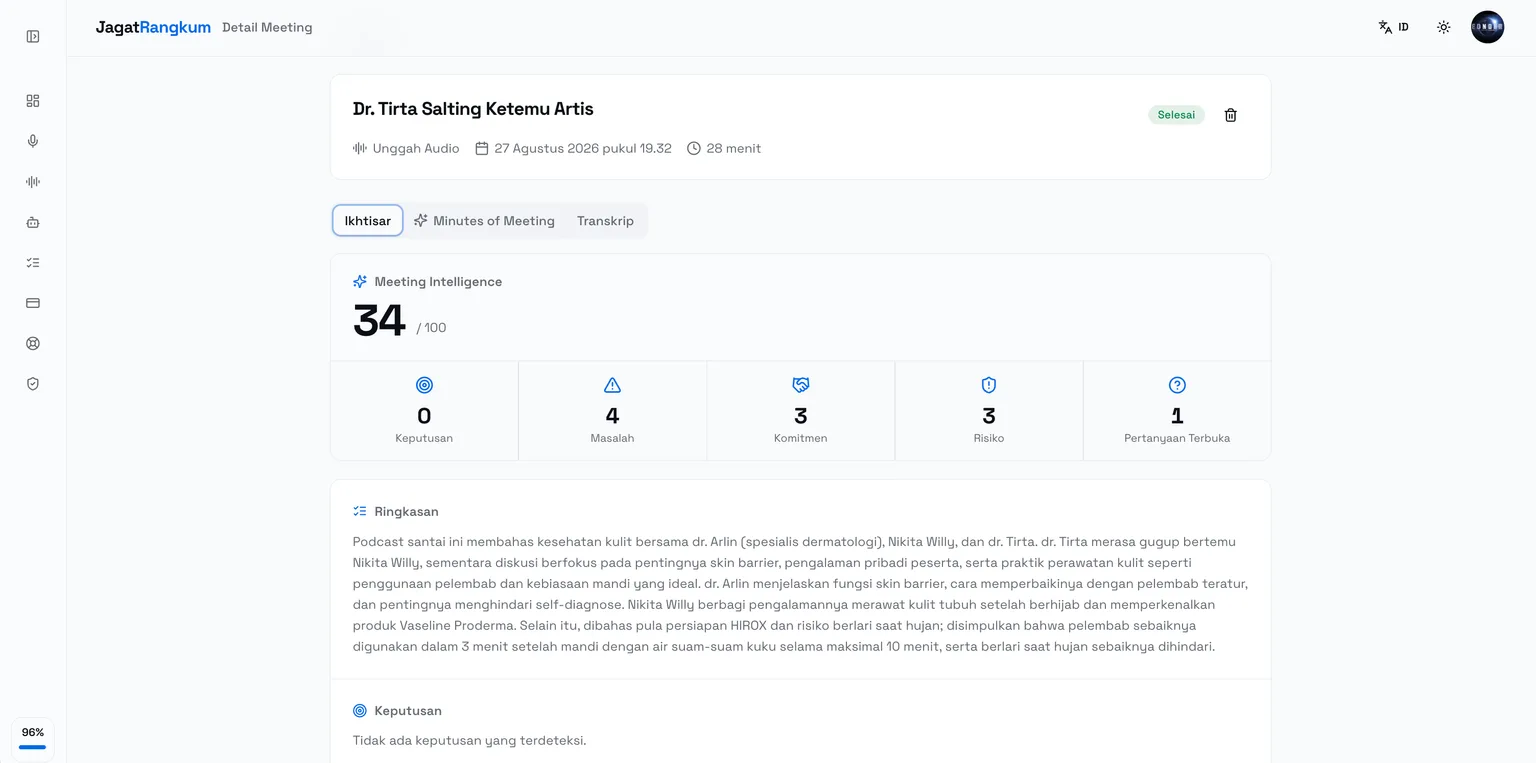
More than meeting notes, true meeting intelligence
Every meeting becomes clear decisions, commitments, and risks, with tidy, share-ready notes.
Record
Record the meeting straight from your browser with live transcription appearing as you speak. The WAV file is saved automatically and reprocessed for full accuracy.
Learn moreUpload audio
Got an old recording? Upload WAV, MP3, M4A, OGG, or FLAC. The transcript and minutes follow right away.
Learn moreOnline meeting bot
Send a notetaker bot into Google Meet, Zoom, or Microsoft Teams. The bot takes notes so you can focus on the meeting. Available from the Pro plan.
Learn moreStructured minutes
An executive summary, discussion topics with their decisions, and action items complete with owners.
Learn moreMarkdown editor
Edit the notes right in the app with a live preview, then export to PDF, Markdown, TXT, or SRT.
Learn moreJust four steps
From raw recording to shareable notes, the whole process runs automatically in the background.
- 01
Record or upload
Record in the browser, upload an existing audio file, or send a bot into your online meeting.
- 02
Automatic transcription
Audio is processed with accurate speech recognition, complete with speaker separation and timestamps.
- 03
Minutes written
AI condenses the meeting into a summary, discussion topics, and action items ready to share.
- 04
Edit & share
Polish the result in the Markdown editor, then export or copy it into your team's tools.
Common questions
Still not answered? Read the user guide, or send your question to admin@jagatraya.tech.
Does JagatRangkum support Indonesian?
Yes. Both transcription and minute-writing are tuned for Indonesian, including the meeting vocabulary common in the workplace. English and a multilingual mode are available too.
Which online meeting platforms are supported?
The JagatRangkum notetaker bot can join Google Meet, Zoom, and Microsoft Teams. Just paste the meeting invite link and the bot will join and take notes.
Can the notes be edited?
Yes. Every set of minutes is stored as Markdown and can be edited right in the app with a live preview. The AI version is kept, so you can always go back.
What about the security of my recordings?
Audio files are stored on an encrypted volume tied to your account and are only reachable through an authenticated session. You can delete a recording and its notes at any time.
How do I contact JagatRangkum support?
Email admin@jagatraya.tech for technical issues, billing questions, data deletion requests, or feature suggestions. We aim to reply on business days.
Is there a free plan?
Yes. The free plan gives you 30 transcription minutes every month, including recording, audio upload, automatic minutes, and Markdown export.
Stop writing meeting notes by hand
Start free with 30 transcription minutes every month. No credit card.